- Reminders are automatically sent to raters on a fixed schedule, which may vary depending on your session. Raters who have already submitted responses will not get a reminder.
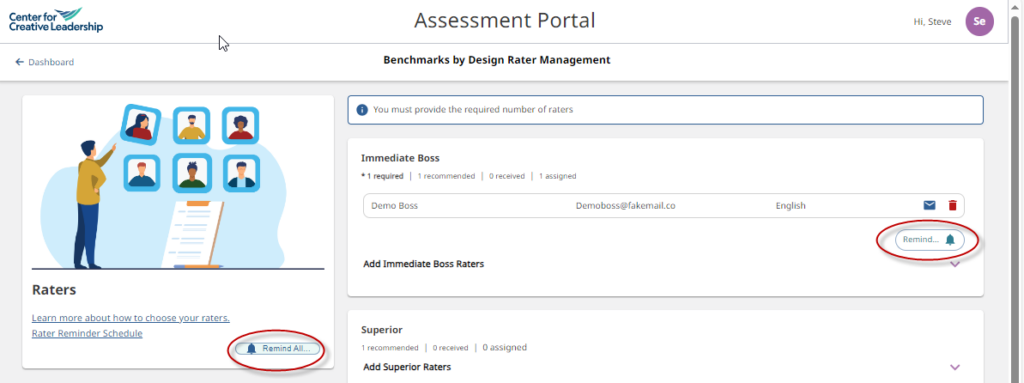
- To see the dates that these automated reminders will be sent, select the “Rater Reminder Schedule” at the top of the rater management screen.
- You can manually send additional reminders using the “Remind…” button on the rater management screen. There are 2 options:
- To send a system-generated reminder email to all of your raters, across all rater categories: click the “Remind All…” button.
- To send a system-generated reminder email to all of the raters in a single category: click the “Remind…” button in the chosen category.
- Note: Raters who have submitted their feedback survey will not receive a reminder email but, to ensure confidentiality, participants are not able to tell who will receive an email.